
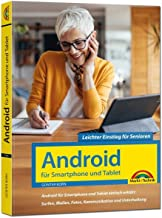
 Even though many people today own a smartphone or tablet with Android, very few people know all the features of Android or the standard apps. Now the 5th edition of the Android success title for the target group 50 Plus is available. The work explains Android and how to handle the most important apps step by step. This includes smartphones with this operating system as well as hints about special features for tablets with Android.
Android devices are more popular than ever, and the older generation is also increasingly using tablets and smartphones with this operating system. The all-rounders are practical, but complex and sophisticated to handle, especially for inexperienced computer users. If you are holding such a device in your hands for the first time, you need the right instructions.
Android for smartphones & Tablets - Easy entry for seniors: the intelligible guide – 5th updated edition of the bestseller – Completely in color
304 pages, paperbound,
Market technology publishing house
Price: EUR 19,95
ISBN-10: 3959825056
ISBN-13: 978-3959825054
The four-colour printed book was written for the users of the target group 50Plus, who already worked with computers, but have no experience with Android devices, or finally want to know more about it. The title was written for Android 12.x, but can also be used for older (up to 7.x) or newer Android versions (the basic features have remained the same).
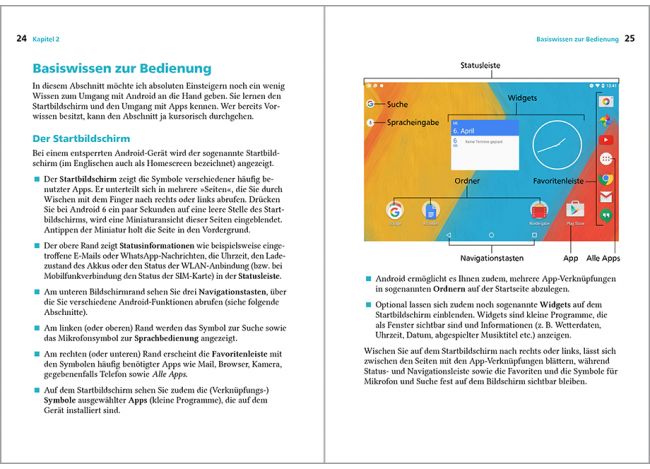
The book covers all relevant topics. From the first turn on and
basic knowledge of the important applications of telephony, e-mails and
Surfing, the large theme area of entertainment (photos, music, videos) to
to customize the Android settings according to your ideas, everything will be
easy to understand, so you can play easily with your Android smartphone
Or a tablet.
From the content:
- Android entry: Overview and first steps
- Operation: Everything you need to know about Android
- Install and manage apps
- Surfing and Mailing
- Capture, manage and share photos and videos with your PC
- Entertainment: Music, videos, e-books
- Communication, Contacts and Calendar
- Interesting and useful apps: Notes, route planning, timetables,
Weather, Fitness, Alarm clock, Games - Android commissioning, settings, updates
- Small help
Note: The book reflects the Android 12 environment present when writing the manuscript. Google not only releases new Android versions, but also updates the described apps often within a few weeks. Of course, the book can never reflect such changes that occur after printing (summer 2022). In most cases, however, as an Android user, you should also get along with the instructions in the book with newer app versions.
The salesman only hired the most important thing for me and otherwise left me on the soap. I have a Samsung Galaxy. I then found a channel on YouTube called ‘Peace, Joy, Smartphone’, which really helped me a lot to understand the smartphone I now have for about a quarter of a year. I didn't know anything about her book, even though I've already bought some works from her. I'm still discovering new things on my smartphone, but now I'm mastering everyday things.
However, the book cannot be dedicated to a specific smartphone model. Samsung, in particular, has many peculiarities.